
If you're on a computer:
Log into your subscription at www.pokergo.com through a browser. (You cannot cancel your subscription through the app.) Click on the user icon in the top right corner. Click on Subscription.
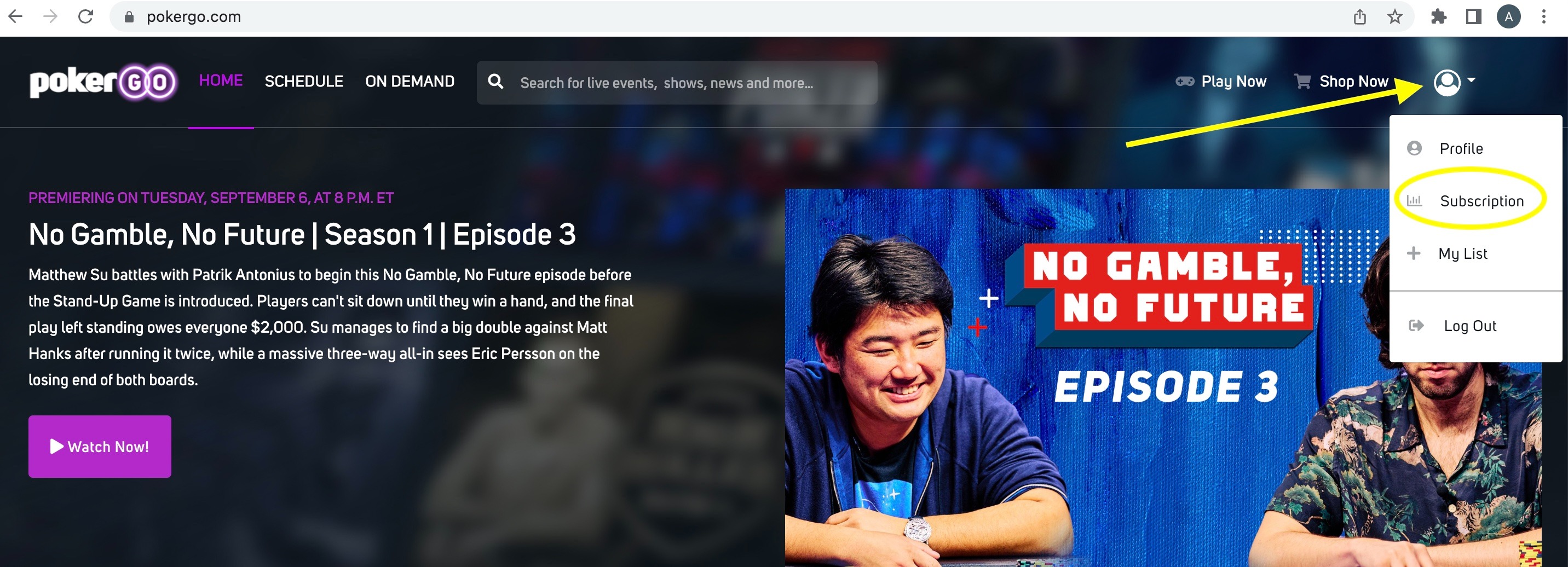
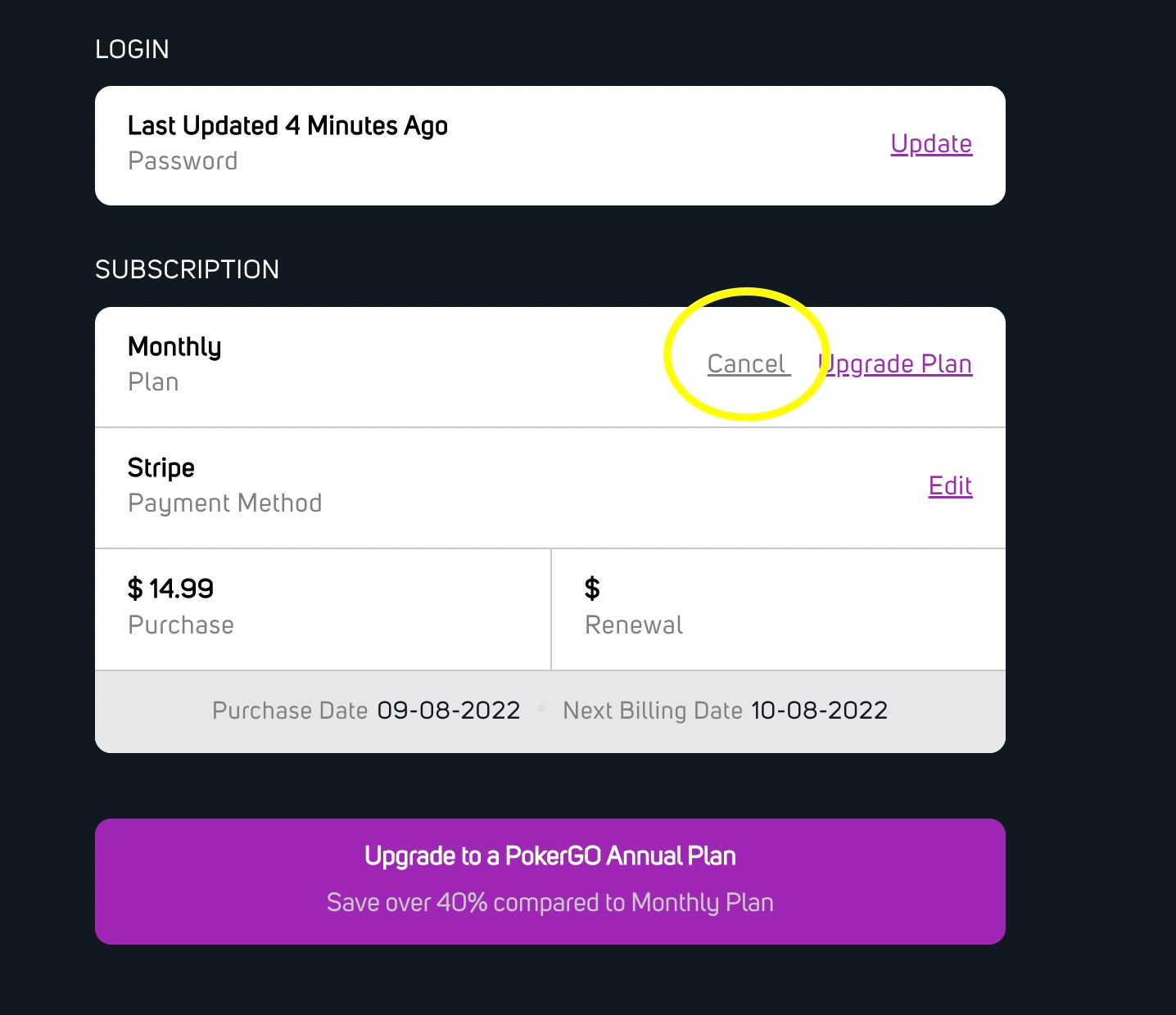
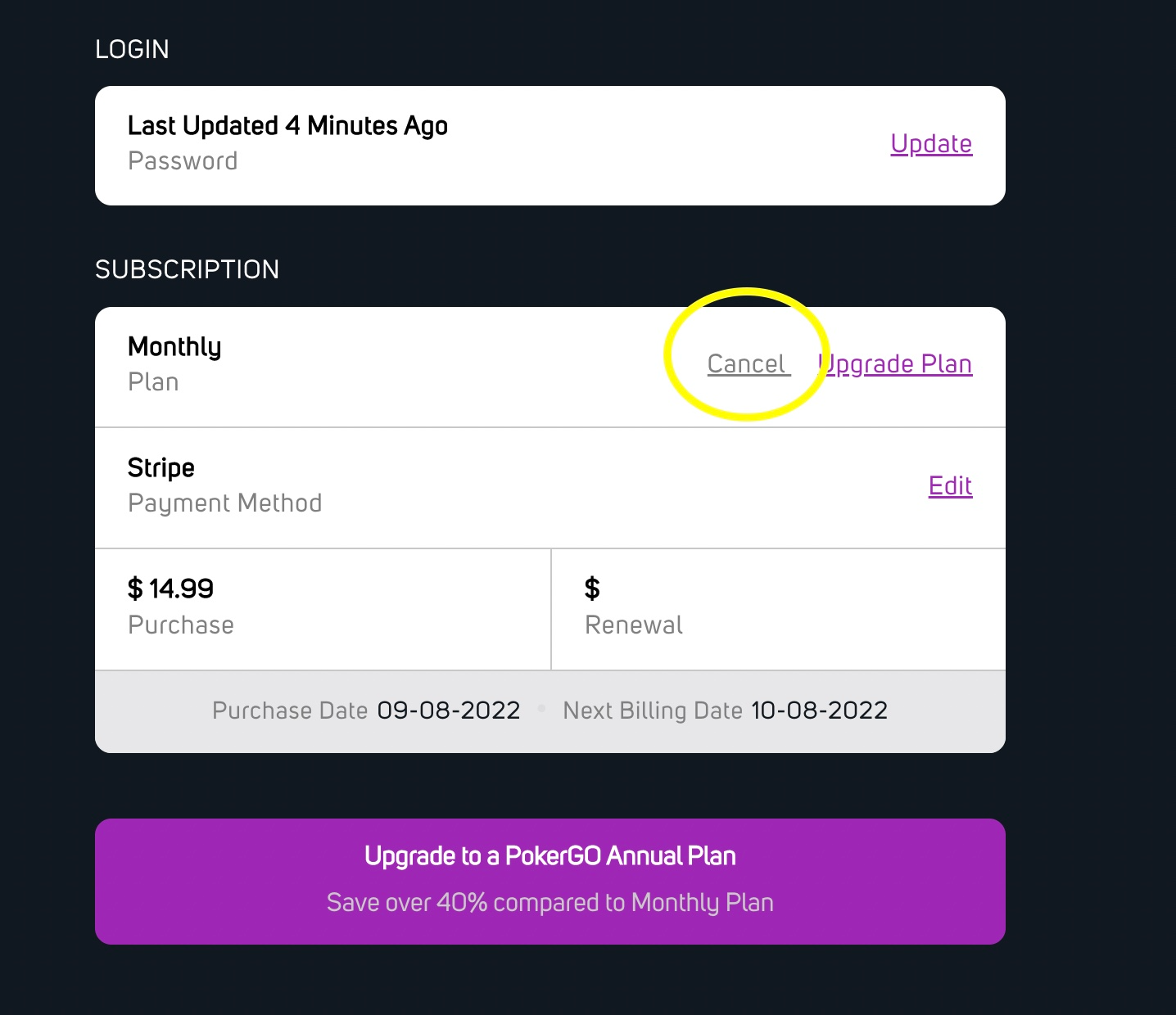
Scroll down to the Subscription section and click on Cancel.
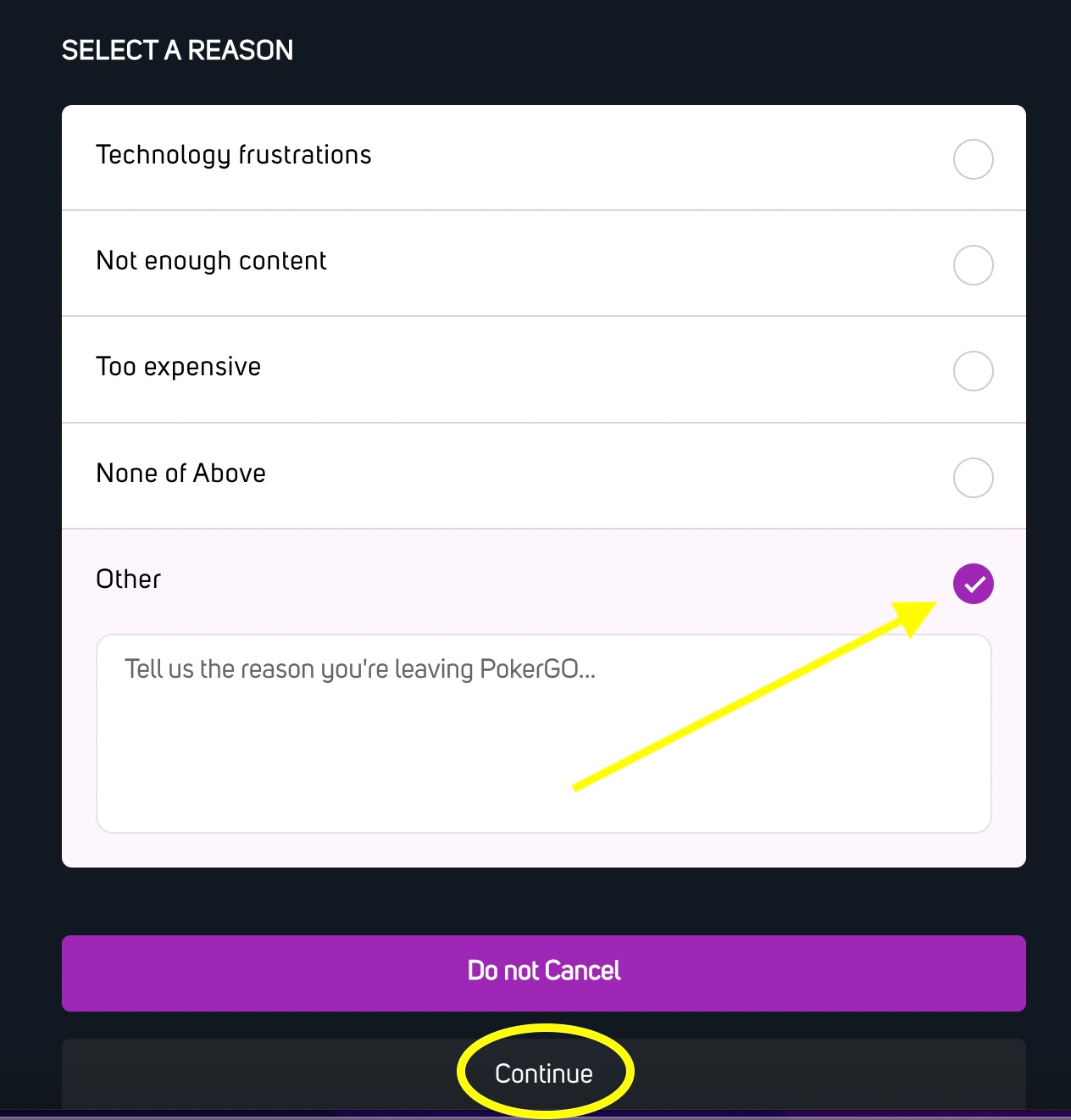
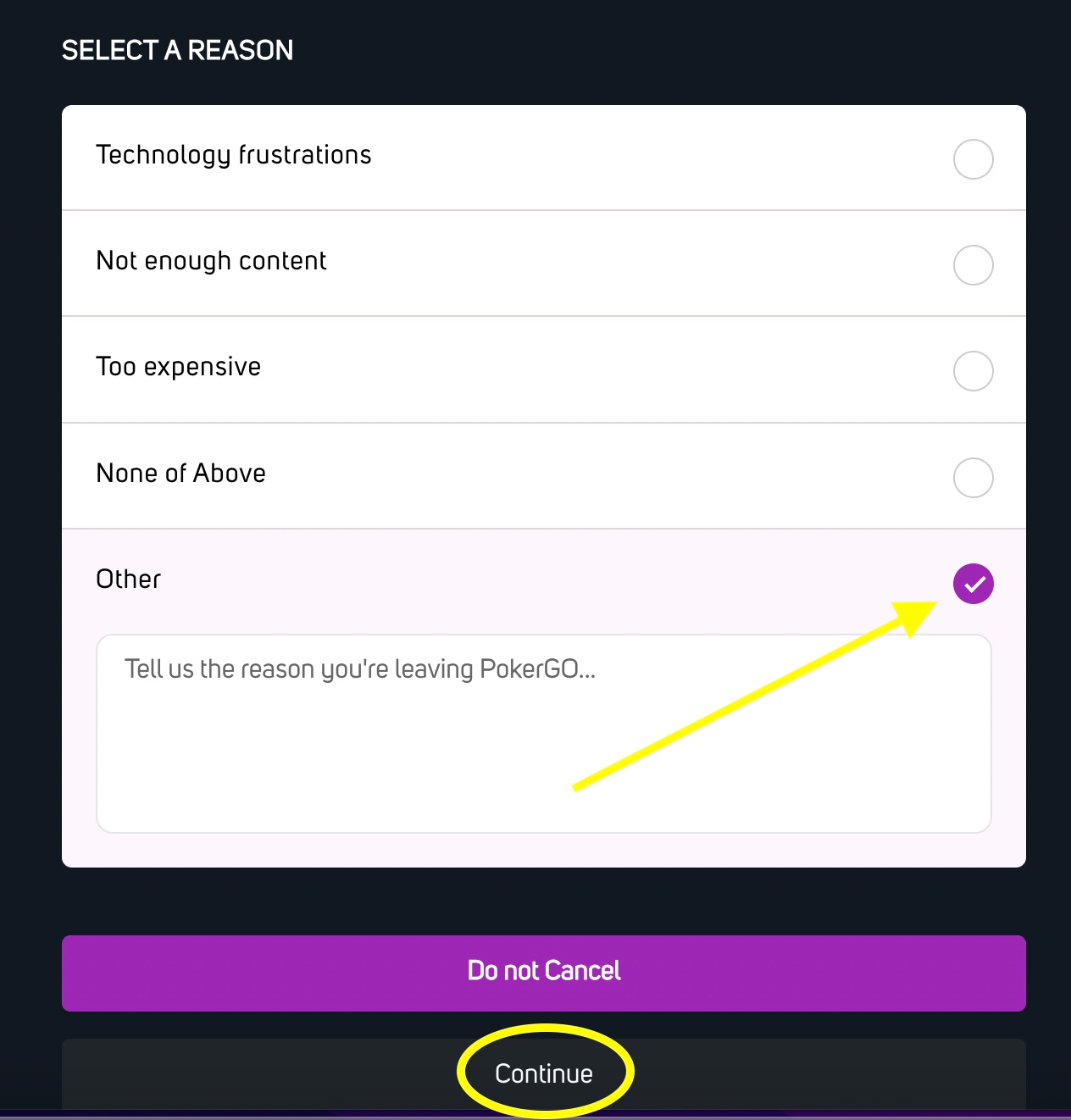
Give us a reason for your cancellation. We appreciate all feedback. Then, click on Continue.
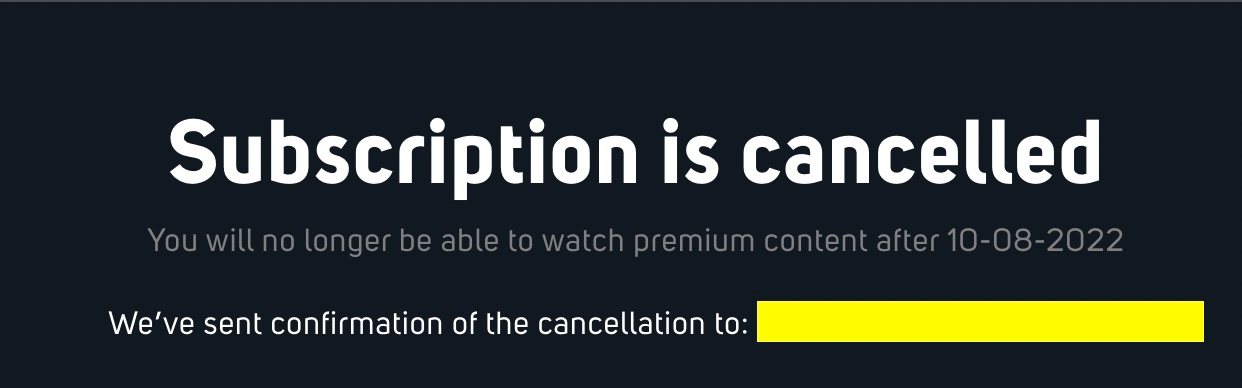
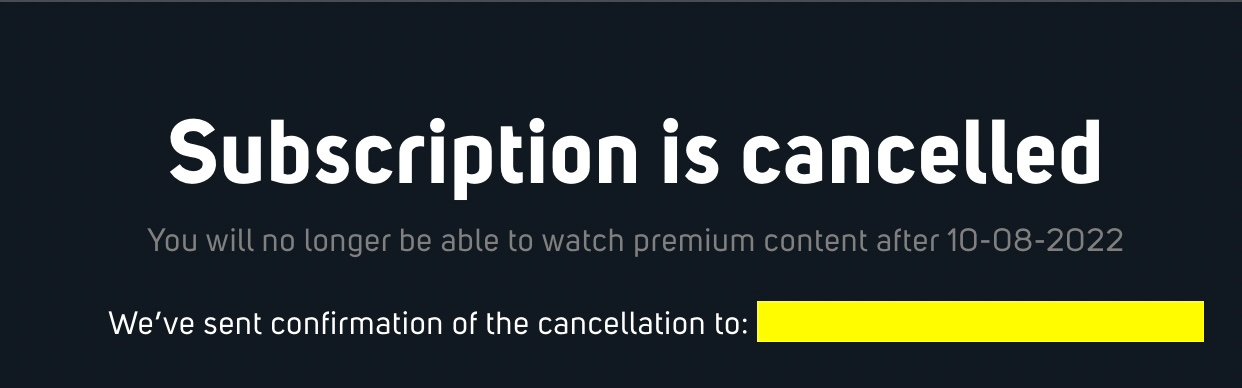
You will receive a Confirmation screen, followed by a cancellation email to your inbox.
If you're on a mobile device: (Again, remember, you cannot cancel through the app, you must be on a browser.)
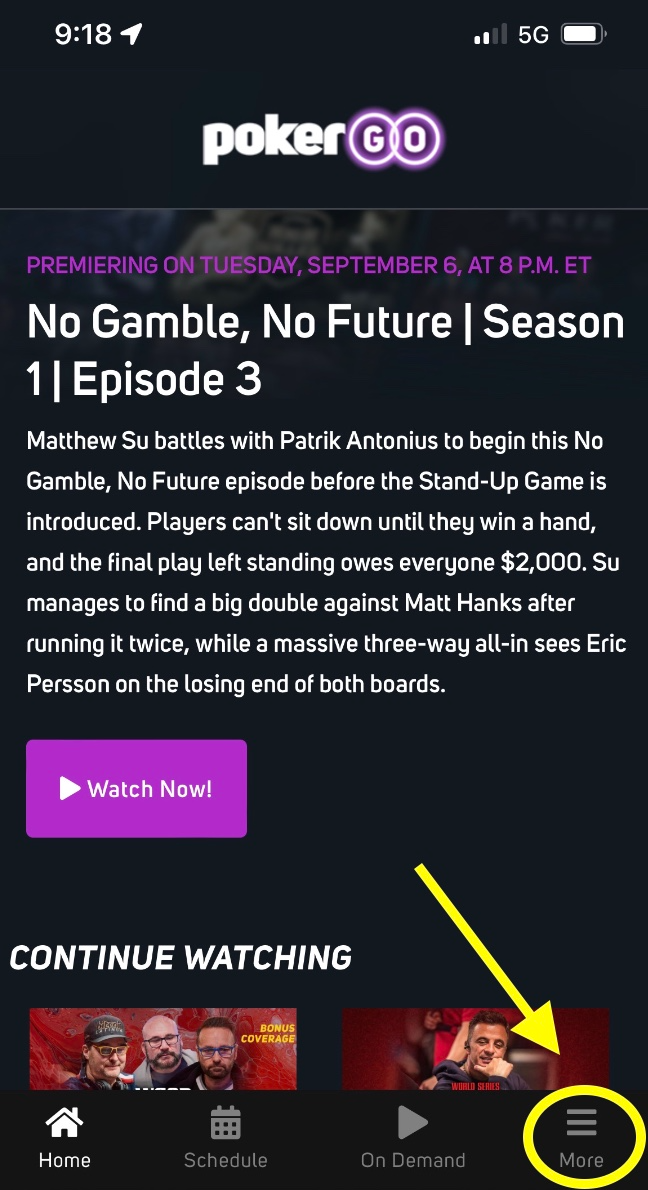
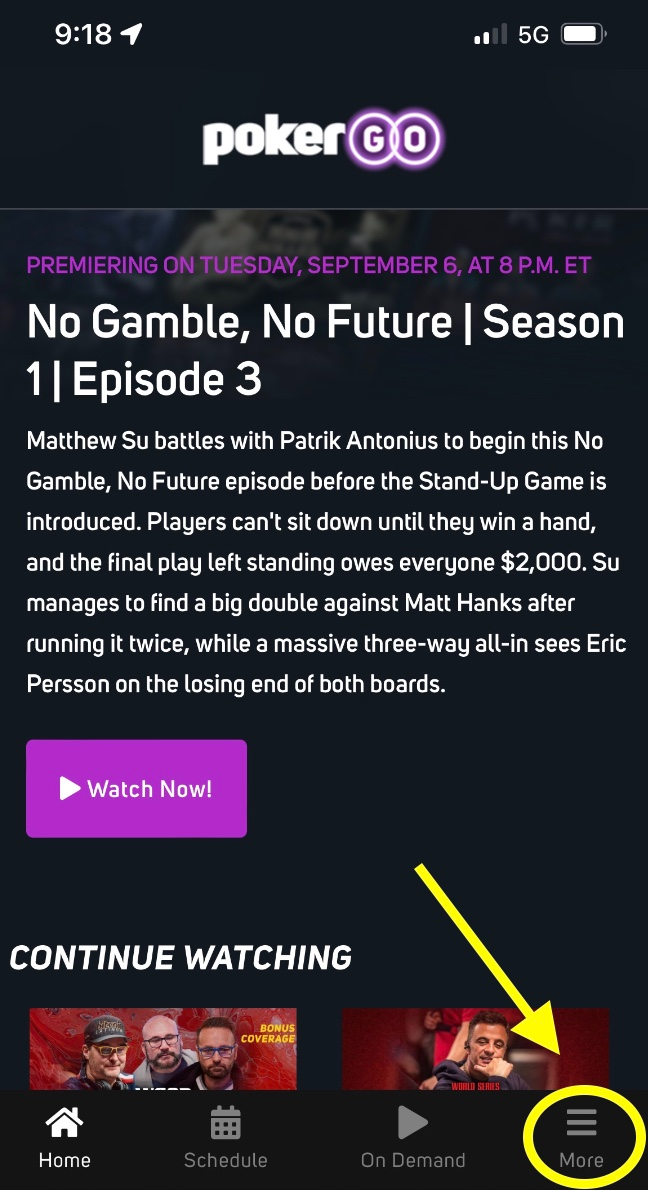
Go to www.pokergo.com through the browser on your mobile device. Tap on More in the bottom right corner to sign in. Once you're signed in, tap on More again in the bottom left corner.
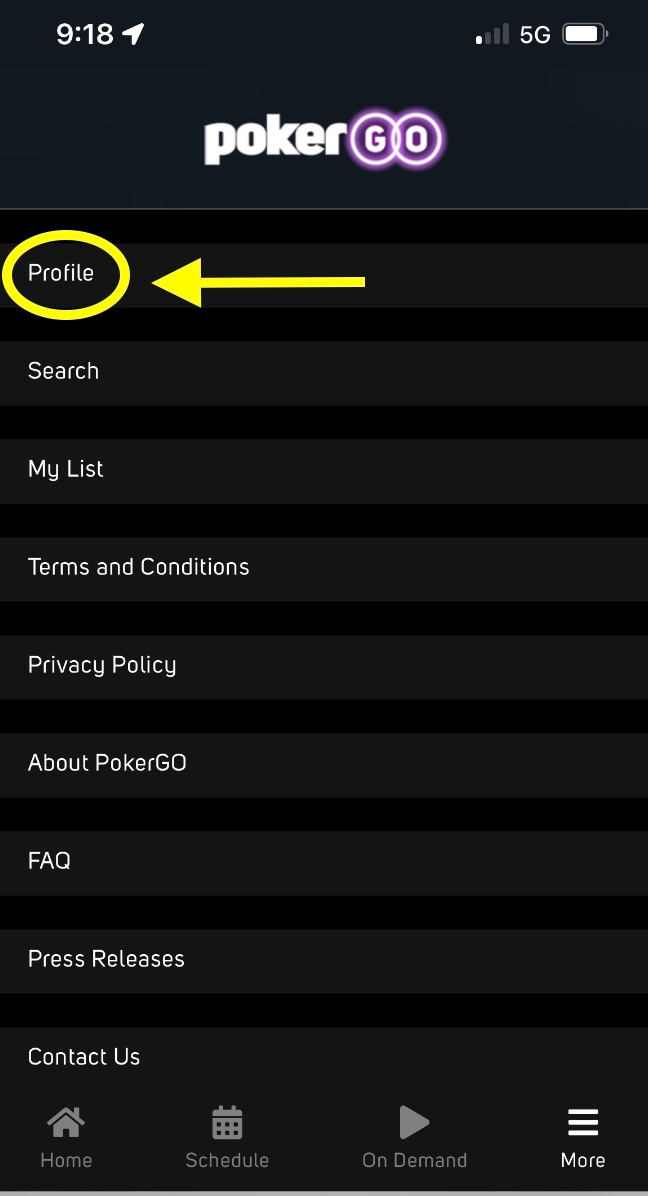
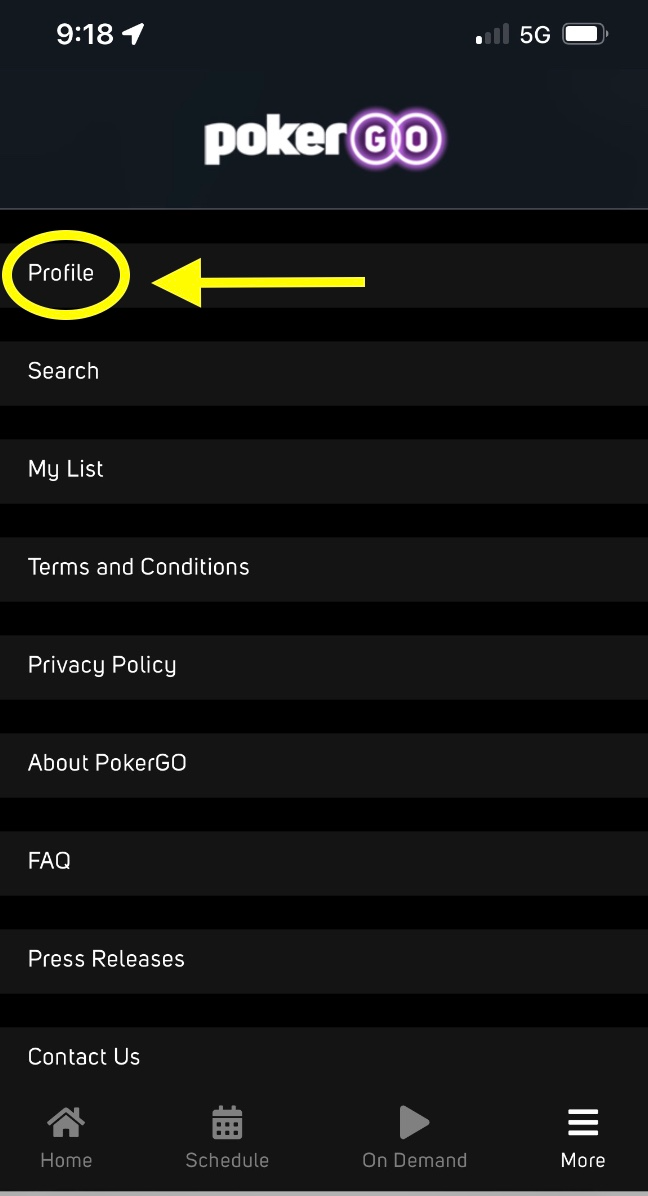
Tap on Profile.
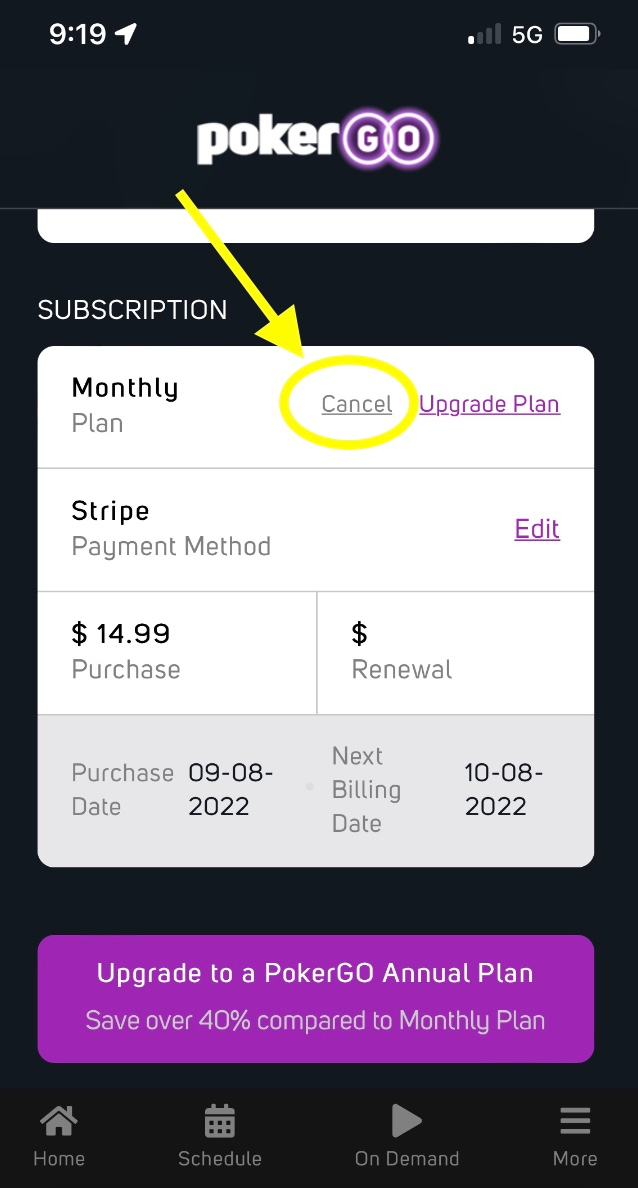
Tap on Cancel.
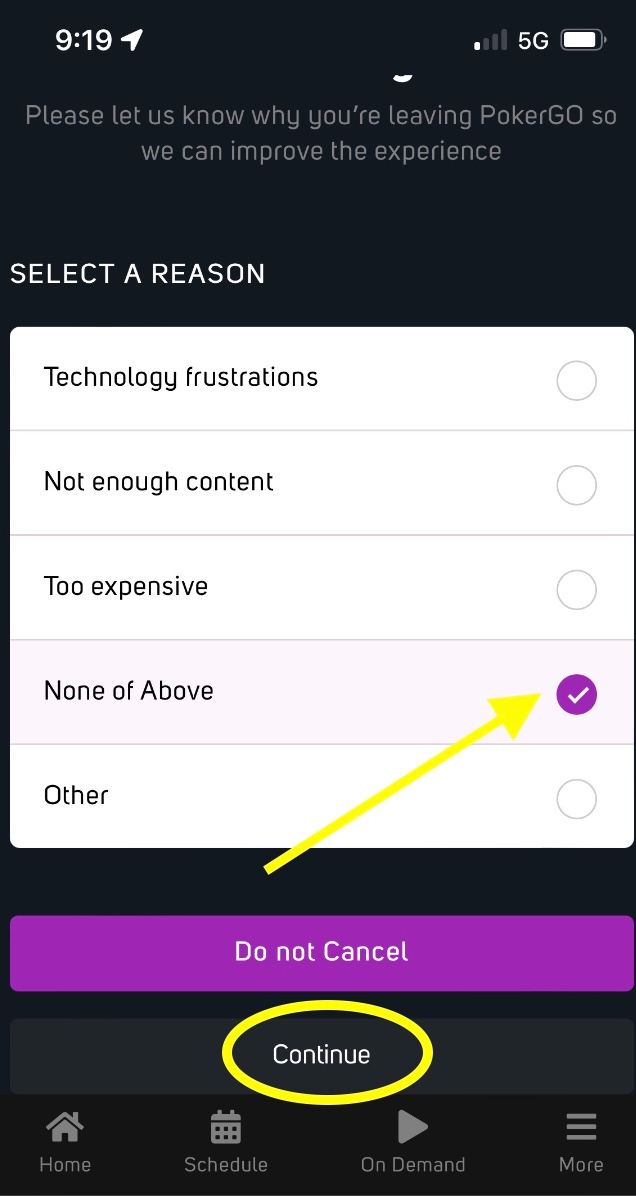
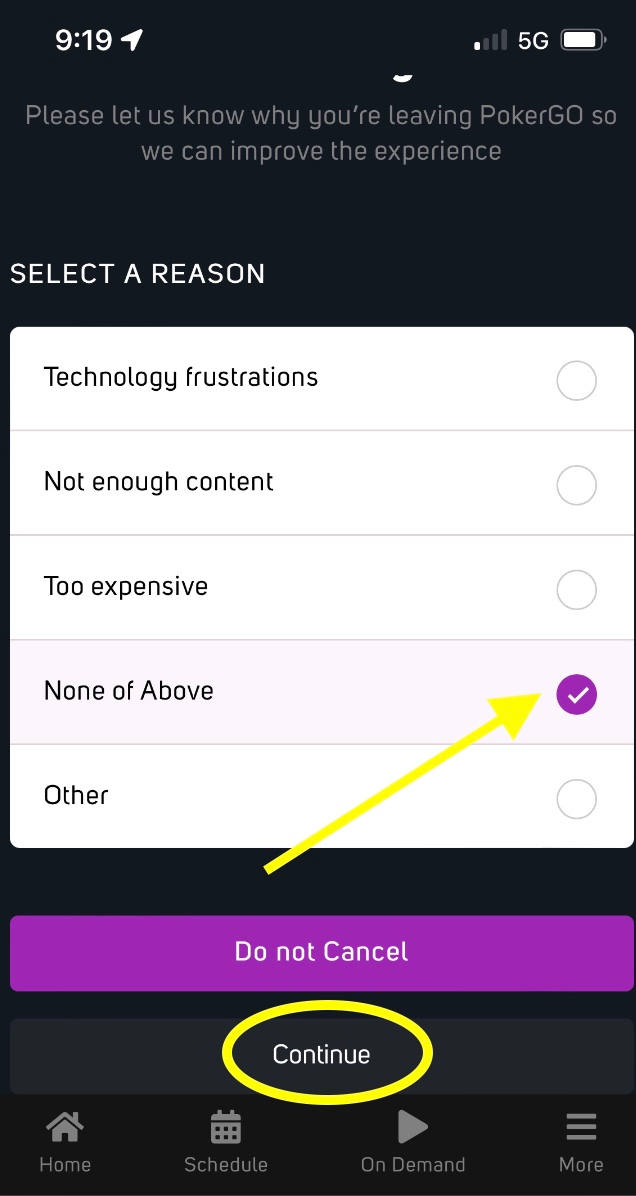
Give us a reason for cancellation. We appreciate all feedback. Then, click on Continue.
You will receive a Confirmation screen and confirmation email in your inbox.
If you need further assistance or help with canceling, please let us know. We will be happy to help.
If you're on a computer:
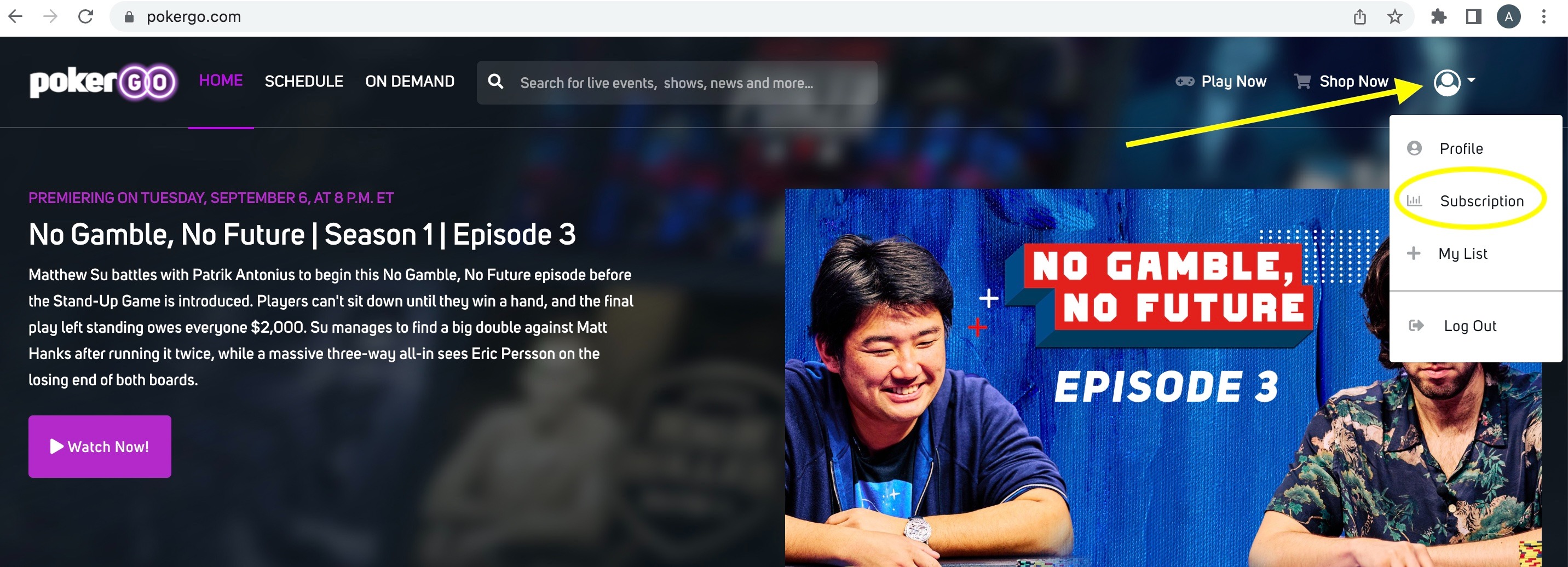
Log into your subscription at www.pokergo.com through a browser. (You cannot cancel your subscription through the app.) Click on the user icon in the top right corner. Click on Subscription.
Scroll down to the Subscription section and click on Cancel.
Give us a reason for your cancellation. We appreciate all feedback. Then, click on Continue.
You will receive a Confirmation screen, followed by a cancellation email to your inbox.
If you're on a mobile device: (Again, remember, you cannot cancel through the app, you must be on a browser.)
Go to www.pokergo.com through the browser on your mobile device. Tap on More in the bottom right corner to sign in. Once you're signed in, tap on More again in the bottom left corner.
Tap on Profile.
Tap on Cancel.
Give us a reason for cancellation. We appreciate all feedback. Then, click on Continue.
You will receive a Confirmation screen and confirmation email in your inbox.
If you need further assistance or help with canceling, please let us know. We will be happy to help. Email support@pokergo.com.